
The Storage Crisis Hitting Every Console Gamer
Call of Duty: Modern Warfare III demands 149GB of space. Cyberpunk 2077 with its expansion clocks in at 130GB. Red Dead Redemption 2 requires 120GB. These aren’t outliers anymore – they’re the new normal. Modern console games routinely exceed 100GB, forcing players into an endless cycle of deleting old favorites to make room for new releases.
The PlayStation 5 launches with 825GB of internal storage, but only 667GB is actually usable after system files. The Xbox Series X offers 1TB, but reality delivers closer to 802GB for games. With today’s massive file sizes, that translates to roughly six to eight major titles before storage anxiety kicks in.
The storage crunch isn’t just about capacity – it’s reshaping how players experience gaming. Quick Resume on Xbox Series consoles showcases the power of fast storage, but only when there’s enough space. PlayStation 5’s lightning-fast SSD eliminates loading screens, yet players find themselves rationing that precious space like a finite resource.

Internal Expansion: The Premium Solution
Both PlayStation 5 and Xbox Series consoles support internal storage expansion, but the approaches differ dramatically. Sony requires PCIe 4.0 NVMe SSDs that meet specific speed requirements – drives must hit at least 5,500 MB/s read speeds to match the console’s performance. Compatible drives from Samsung, Western Digital, and Seagate typically cost between $150-300 for 1TB to 2TB capacities.
Microsoft took a different route with proprietary Seagate Storage Expansion Cards. These hot-swappable drives plug directly into the back of Xbox Series X and Series S consoles, offering identical performance to internal storage. The 1TB card retails for around $150, while 2TB options reach $280. The convenience comes at a premium compared to standard NVMe drives.
Installation varies significantly between platforms. PlayStation 5 owners must remove the console’s side panel and install the NVMe drive themselves – a process that intimidates many casual players despite Sony’s detailed instructions. Xbox expansion cards simply slide into the rear port like a memory card, making them accessible to any user regardless of technical comfort level.
Performance differences between internal and expansion storage remain minimal during actual gameplay. Loading times show negligible variance, and features like Quick Resume work seamlessly across both storage types on Xbox consoles. However, the PlayStation 5’s expansion slot does require drives with heatsinks, adding another consideration for buyers.
External Storage: Balancing Cost and Convenience
External USB drives present the most budget-friendly storage solution, with 2TB options available for under $80. Both PlayStation and Xbox consoles support external drives, but with important limitations. PlayStation 4 games run directly from external storage on PlayStation 5, while PlayStation 5 games must transfer to internal storage before playing – though they can be stored externally when not in use.
Xbox consoles handle external storage more flexibly. Xbox Series X and S can play Xbox One, Xbox 360, and original Xbox games directly from external drives. Xbox Series X|S optimized games require internal or expansion card storage to run, but can be stored externally and transferred when needed. This flexibility makes external drives particularly valuable for Xbox owners with extensive backward compatible libraries.
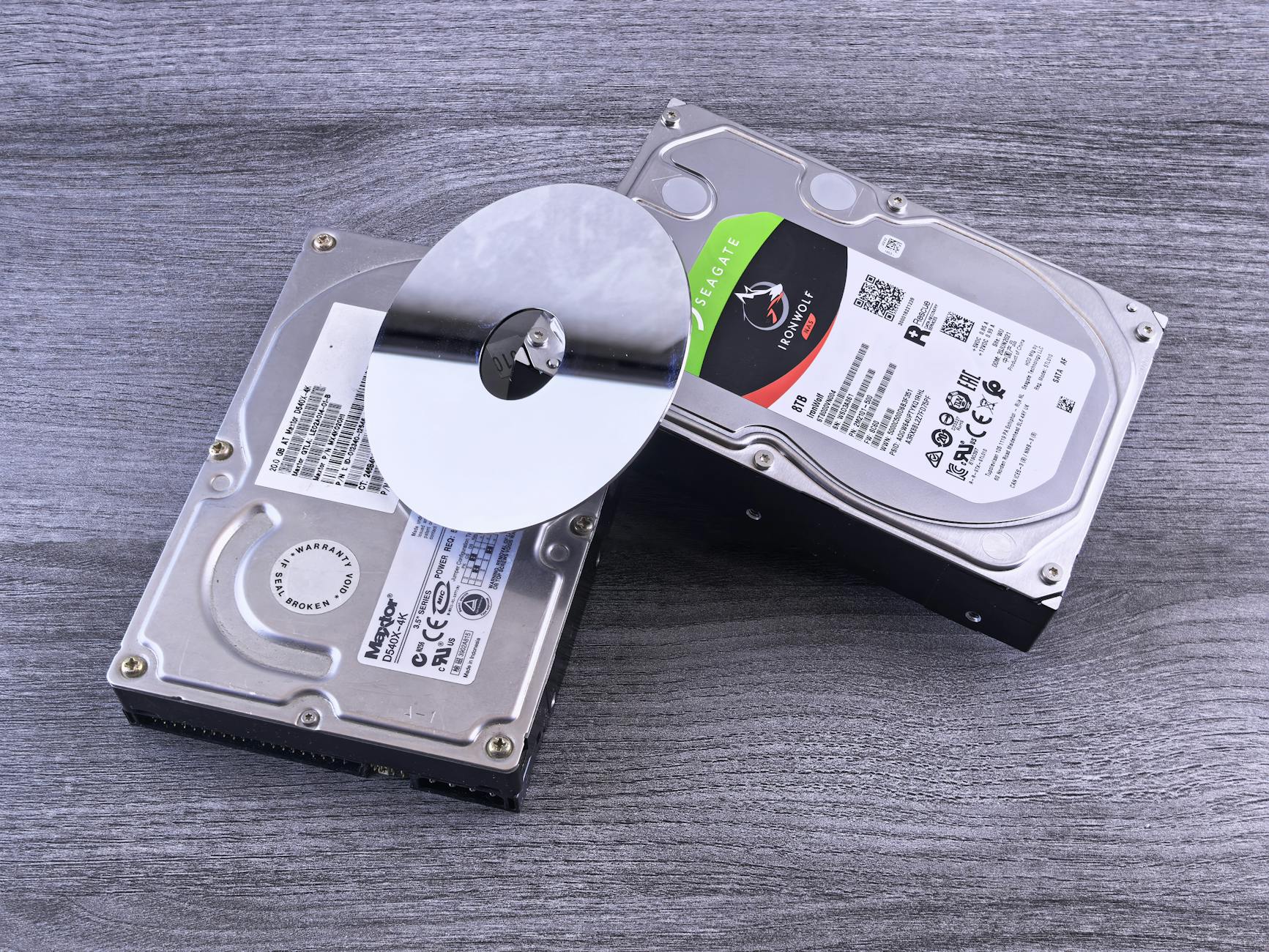
Transfer speeds become crucial for external storage users. USB 3.0 drives typically transfer games at 100-150 MB/s, meaning a 50GB game takes roughly 6-8 minutes to move between drives. Faster external SSDs can double those speeds, but cost significantly more than traditional hard drives. The math becomes simple: pay more upfront for speed, or accept longer transfer times for budget savings.
Cloud gaming services like Xbox Game Pass Ultimate offer an alternative perspective on storage management. With games streaming directly from Microsoft’s servers, local storage becomes less critical. However, internet reliability and data caps still make local storage the preferred option for most players, especially for competitive gaming where latency matters.
Smart Storage Management Strategies
Managing modern console storage requires strategic thinking beyond simply buying more space. Both PlayStation and Xbox consoles offer storage management tools that help players identify which games consume the most space and when they were last played. These built-in analytics prove invaluable for making deletion decisions.
Game file compression has improved significantly across console generations. PlayStation 5’s decompression block allows developers to store assets more efficiently, while Xbox Series consoles use similar techniques to reduce file sizes. However, 4K textures, high-fidelity audio, and multiple language packs continue pushing file sizes upward despite compression improvements.
The rise of live service games complicates storage planning. Games like Destiny 2, Fortnite, and Apex Legends receive regular content updates that can add several gigabytes monthly. Players invested in these ongoing experiences must factor in growth over time, not just initial installation sizes.
Some studios now offer modular installations, allowing players to download only specific campaign modes or multiplayer components. Call of Duty pioneered this approach, letting players install just the modes they actually play. However, adoption remains inconsistent across the industry, and many games still require complete installations regardless of player preferences.

The Future of Console Storage
Storage challenges will likely intensify as games continue growing in scope and visual fidelity. The transition to 8K gaming, whenever it arrives mainstream, will demand even larger texture files. Ray tracing implementations require additional data structures, further inflating file sizes. Meanwhile, PlayStation VR2 games are beginning to show their own storage demands as the platform expands.
Cloud storage integration represents one potential solution. Xbox Game Pass already demonstrates how streaming can reduce local storage needs, while PlayStation Now offers similar capabilities. However, internet infrastructure limitations mean local storage will remain essential for most players for the foreseeable future.
The storage landscape continues evolving as console manufacturers and developers seek balance between visual fidelity and practical limitations. Console gaming’s appeal to casual players depends partly on eliminating technical barriers, yet storage management has become an unavoidable reality of modern gaming. Success lies in finding solutions that match player needs and budgets while maintaining the seamless experience consoles promise.
As game development pushes boundaries further, storage solutions must evolve alongside them. The next generation of consoles will likely launch with larger base storage capacities, but until then, players must navigate the current landscape of expansion options, external drives, and strategic game management to maintain their digital libraries.
Frequently Asked Questions
Can I play PlayStation 5 games from external storage?
PlayStation 5 games must run from internal storage but can be stored externally and transferred when needed to save space.
Which is faster – Xbox expansion cards or PlayStation 5 NVMe drives?
Both offer nearly identical performance to internal storage with minimal loading time differences during actual gameplay.