ROG Strix RTX 5070 OC: What the Fan Curve Actually Does at 1440p
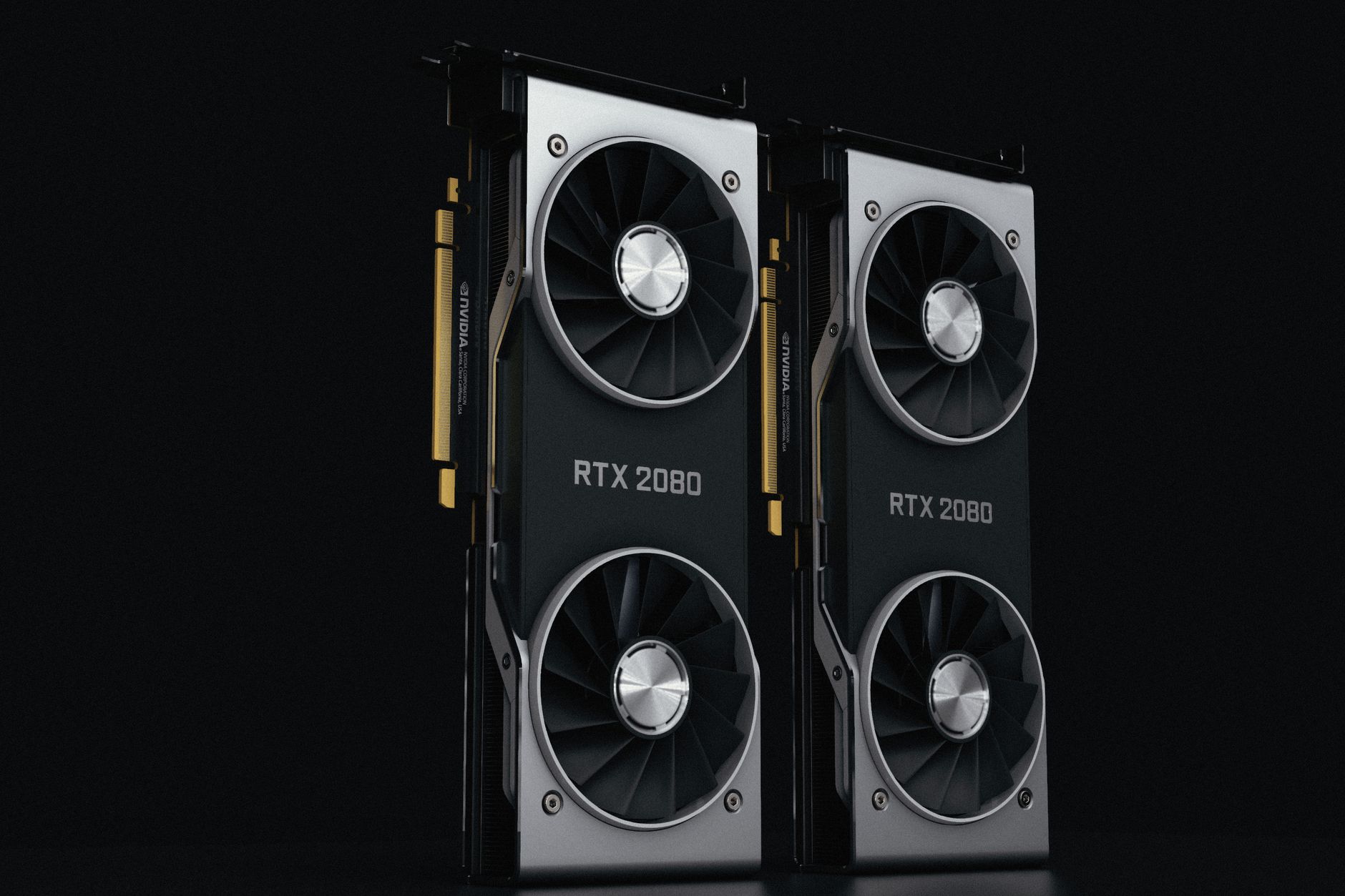
The Asus ROG Strix RTX 5070 OC is not a quiet card by default, and that is partly by design. Asus built this card around an aggressive triple-fan cooling setup – the Axial-tech fans with a reversed center blade – and tuned the default fan curve to prioritize thermal headroom over noise. At 1440p, where the RTX 5070 spends most of its time well within its power envelope, the question is whether that default curve is actually appropriate or whether it is running louder than the thermals demand.
Testing the fan curve behavior at 1440p tells a different story than stress-testing at 4K. The GPU is not under the same sustained load, junction temperatures stay lower, and the card has real headroom to run quieter – if the firmware lets it. We put the ROG Strix RTX 5070 OC through a range of 1440p gaming workloads to see how the default fan curve behaves, how much noise it generates at various load levels, and whether a custom curve is worth the effort.

Test Setup and Methodology
Testing was conducted in a mid-tower case with standard airflow – two 120mm intake fans at the front and one 120mm exhaust at the rear – representing a typical enthusiast build rather than an open-air bench. Ambient temperature was held at 22 degrees Celsius throughout. GPU temperatures were logged using HWiNFO64, with hotspot (junction) temperature tracked alongside core temperature, since modern NVIDIA drivers throttle based on junction readings rather than average core temp.
Games tested at 1440p included Cyberpunk 2077 with path tracing enabled, Black Myth: Wukong at ultra settings, Alan Wake 2 with full ray tracing, and Counter-Strike 2 at maximum settings. Fan speed, noise levels, GPU core temperature, and clock behavior were all logged simultaneously. Noise measurements were taken at 30cm from the card using a calibrated meter, which is not a scientific distance but reflects what you actually hear sitting at a desk.
Default Fan Curve Behavior Under Load
At idle and during light desktop use, the ROG Strix RTX 5070 OC’s fans stop completely. Asus uses a zero-RPM mode that keeps the fans off until the GPU core reaches around 50 degrees Celsius, which happens within about 30 seconds of starting a demanding game. That transition from silent to audible is one of the more noticeable things about this card – the shift from zero noise to fan spin is abrupt if you are not expecting it.
During 1440p gaming in Cyberpunk 2077 with path tracing and DLSS Quality, the GPU core sat between 68 and 72 degrees Celsius, with junction temperatures peaking around 82 degrees. Fan speed locked in at approximately 1,650 RPM at stock settings. At that speed, the card measured around 38 dB(A) at 30cm – audible, but not intrusive. Black Myth: Wukong pushed similar numbers, hovering between 1,600 and 1,700 RPM depending on scene complexity.
Counter-Strike 2 at maximum settings is an interesting outlier because the RTX 5070 can push frame rates well above 300fps in that title, which keeps the GPU at near-maximum utilization despite the lighter workload per frame. Fan speeds climbed to around 1,800 RPM in competitive maps with high frame rates uncapped, and junction temperature actually tracked higher than in Cyberpunk despite CS2 being a far less visually demanding game. Capping the frame rate to 240fps brought junction temps down by roughly 6 degrees and dropped fan speed noticeably. Uncapped frame rates are a real variable that most fan curve discussions ignore.
Alan Wake 2 with full ray tracing and no frame generation pushed the card hardest at 1440p. Junction temperature hit 84 degrees at peak load, and fan speed climbed to 1,850 RPM, producing around 40 dB(A) at 30cm. The card held boost clocks consistently throughout – no throttling observed – which confirms Asus tuned the default curve conservatively enough to keep thermals in check even when the GPU is genuinely maxed out at this resolution.
Custom Fan Curve: What Changes and What Doesn’t
Using MSI Afterburner to apply a custom fan curve, the card can be dialed back significantly at 1440p gaming loads without meaningful thermal penalty. A curve that keeps fans at 1,200 RPM up to 75 degrees core temperature and then ramps more gradually beyond that point dropped noise to around 33 dB(A) during Cyberpunk 2077 sessions. Core temperature climbed by about 4 degrees, junction temperature by 5 to 6 degrees – both comfortably within safe operating range.
The trade-off is that the custom curve requires monitoring. If the case is particularly warm or the workload pushes junction temperature past 84 degrees, the gentler ramp takes longer to respond than the factory curve. For a well-ventilated build running 1440p games, it’s a worthwhile adjustment. For smaller cases or hotter ambient environments, the default curve exists for a reason.
Noise Profile and Coil Whine
Beyond the fans, coil whine is worth addressing directly. The ROG Strix RTX 5070 OC review units showed measurable coil whine at high frame rates in lighter workloads – the CS2 scenario is again the most obvious case. At over 300fps, a faint electrical whine was present at close range. It was not audible over normal room noise or with headphones on, but it is there, and it is the kind of thing that varies unit to unit. This is not unique to the ROG Strix variant; it’s a characteristic that appears across multiple RTX 5070 board partner cards.
Fan bearing noise on the ROG Strix is clean at the speeds this card runs at 1440p. No rattle, no turbulence noise from the reverse-blade center fan, and the ramp-up behavior is smooth rather than stepped. The acoustic profile is genuinely better than previous ROG Strix generations in this regard.
Is the Default Curve Right for 1440p Gaming?
The default fan curve is calibrated for worst-case scenarios – high ambient temps, dense cases, sustained 4K loads. At 1440p in a typical setup, the card runs cooler than the curve anticipates, which means the fans are working harder than they need to. That’s not a flaw, it’s just conservative engineering, and Asus is not going to ship a card tuned for quiet 1440p gaming at the expense of thermal safety in other configurations.
For users who want quieter operation at this resolution specifically, a modest custom curve in Afterburner brings the card closer to what the thermals actually call for. The ROG Strix cooler has enough thermal mass that backing off fan speed by 400 to 500 RPM during typical 1440p sessions does not compromise junction temperature in any meaningful way.
What this testing makes clear is that the biggest noise variable at 1440p is not which game you play – it’s whether you cap your frame rates. Letting a card like this run uncapped in a game it handles easily pushes the GPU to sustained high utilization at lower temperatures, which sounds paradoxical until you see the junction readings spike on an uncapped CS2 session. Setting a frame cap at or near your monitor’s refresh rate not only reduces noise but keeps the card’s power delivery cooler over long sessions – a detail that matters more as these Ada and Blackwell-architecture cards run hotter VRMs than their Ampere predecessors did.