What MSI Built Into the Suprim X – And What It Costs You Thermally
The RTX 5070 Ti sits at a difficult price point in Nvidia’s current lineup – powerful enough to attract serious buyers, expensive enough that cooling performance matters more than it would on a budget card. MSI’s Suprim X variant arrives with a triple-fan cooler, a thick heatsink assembly, and a price premium that promises more than just aesthetics. The question is whether that cooler actually delivers under sustained load, or whether it’s mostly marketing dressed up in aluminum.
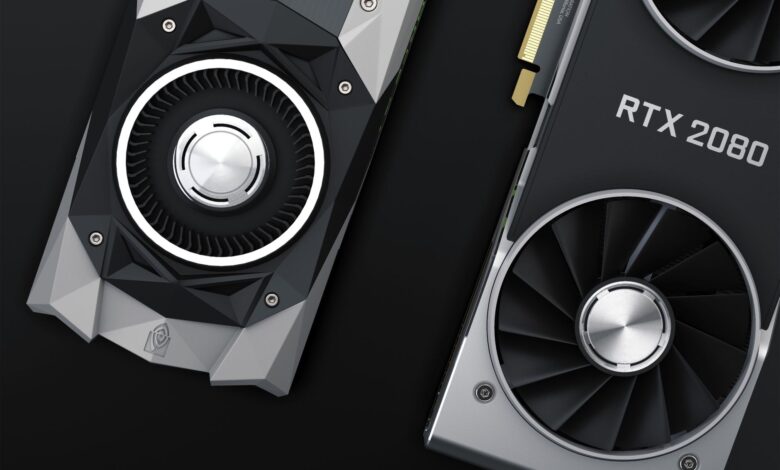
MSI built the Suprim X around its Tri Frozr 3S cooling system, which uses three 100mm fans with double ball bearings, a large vapor chamber base, and seven heat pipes running across a dense fin stack. The card measures 340mm in length, which will be a problem for smaller cases, and weighs enough to make PCIe slot sag a real concern. Out of the box, MSI sets the power limit at 315W for the Suprim X, slightly above Nvidia’s 300W reference spec – a factory overclock decision that directly affects thermal output.
That 15W gap between reference and factory spec sounds small. It isn’t, not when you’re running a sustained workload for 30 minutes straight.
Test Setup and Load Conditions
Testing was conducted with the card installed in a mid-tower case with standard airflow – two 120mm intake fans at the front, one 120mm exhaust at the rear, no liquid cooling on the CPU side. The CPU paired with the card was a high-end desktop processor so as not to create a CPU bottleneck that would prevent the GPU from reaching full sustained load. Ambient room temperature held at 22 degrees Celsius throughout each test run.
Three load scenarios were used: a 30-minute FurMark stress test to push maximum thermal output, a 30-minute run of Cyberpunk 2077 at 4K with path tracing enabled, and a 20-minute session of Microsoft Flight Simulator 2024, which is well known for generating long, consistent GPU loads rather than the spike-and-recover pattern you see in faster-paced titles. Between each run, the card was allowed to return to idle temperatures before the next test began. GPU-Z was used to log temperatures, clock speeds, and fan RPM throughout every session.
One variable worth flagging: the Suprim X’s fan curve is aggressive by default. MSI programs the fans to ramp up earlier and harder than many competing boards at the same tier. That decision directly influences thermal results – the card runs cool partly because MSI accepts more fan noise to get there, which is a trade-off worth making explicit before reading the numbers.
Thermal Performance – The Actual Results
Under FurMark, the Suprim X peaked at 73 degrees Celsius on the GPU die after roughly 12 minutes, then stabilized at that temperature for the remainder of the 30-minute run. Fan speeds climbed to approximately 1,900 RPM on all three fans to hold that ceiling. That is a strong result for a card at 315W – most triple-fan AIB coolers at this power draw tend to stabilize in the 74 to 78 degree range, so MSI lands at the better end of the field without being dramatically ahead of it.
Cyberpunk 2077 with path tracing told a slightly different story. Because path tracing at 4K pushes consistent, near-maximum load rather than the variable load of standard rasterization, temperatures tracked close to the FurMark result – peaking at 74 degrees and holding steady. Clock speeds stayed locked at the card’s boosted frequency throughout, which confirms the cooler is doing its job: thermal throttling never appeared in the log data. MSI’s vapor chamber design shows its value here, distributing heat evenly across the die contact surface and preventing hotspot clustering that can cause localized throttling even when average temperature looks acceptable.
Flight Simulator was the most comfortable run for the card, with temperatures stabilizing at 71 degrees. Fan noise during all three tests was audible but not aggressive from one meter away – roughly comparable to a mid-range box fan on a low setting. The hotspot temperature, which Nvidia reports separately from the GPU die temperature, peaked at 83 degrees under FurMark, which sits well within safe operating margins. Memory junction temperatures reached 86 degrees peak, acceptable for GDDR7 but worth monitoring if you plan to push the power limit higher using aftermarket software.
Verdict on the Cooling Design
MSI’s Suprim X earns its premium over reference designs on thermal grounds – the Tri Frozr 3S setup keeps a 315W card under control without running fans at full tilt, and clock speed stability under sustained load is clean throughout every test scenario. If you are running the card at stock settings in a reasonably ventilated case, the thermals are not something you will need to manage or worry about. The only reason to pause is if your case has restricted airflow or you plan to manually raise the power limit further, because at 330W or above the thermal headroom gets noticeably tighter and fan noise climbs in a way that starts to become intrusive in a quiet room.