Two Flagships, One Workstation Chair
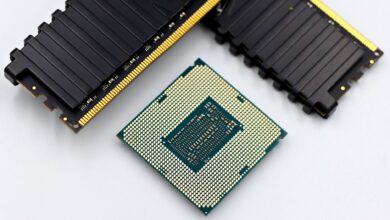
AMD’s Ryzen 9 9950X3D and Intel’s Core Ultra 9 285K represent the current ceiling of consumer desktop processing power, and both target the same audience: creators who render, encode, compress, and compile for a living. The 9950X3D adds AMD’s 3D V-Cache technology to an already strong 16-core Zen 5 architecture. The 285K counters with Intel’s hybrid core design, pairing 8 Performance cores with 16 Efficient cores under the Arrow Lake umbrella.
Content creation workloads are a different animal compared to gaming benchmarks.
Where gaming tests tend to favor single-threaded speed and cache responsiveness, content creation spreads the load across every available thread, taxes memory bandwidth, and punishes thermal throttling mercilessly. These are sustained, multi-minute workloads where architecture decisions made years ago finally show their consequences on screen. Both chips cost well over $500 at launch, so picking the wrong one is not a minor inconvenience.

Video Encoding and Rendering
In Blender, the 9950X3D consistently outperforms the 285K on the standard benchmark scenes, including BMW and Classroom. The 16 full Zen 5 cores all carry equal computational weight, and the 3D V-Cache helps reduce latency on the data fetching that Blender’s path tracing algorithm demands constantly. The 285K’s Efficient cores do contribute to Blender render times, but they operate at lower clock speeds than the Performance cores, which means the aggregate throughput lands noticeably behind AMD’s configuration on pure CPU rendering tasks.
DaVinci Resolve tells a more complicated story. For timeline playback and color grading, both chips feel responsive at 4K with standard codecs. Push into 8K RAW with heavy node stacks and the 285K’s memory bandwidth advantage – Arrow Lake supports DDR5 with higher certified speeds on mainstream boards – starts to show up in smoother scrubbing. AMD’s 9950X3D on AM5 also supports fast DDR5, but the practical bandwidth difference at equivalent kit speeds slightly favors Intel in memory-saturated scenarios. Resolve is also heavily GPU-assisted on export, which partially dilutes the CPU difference depending on your graphics card.
Handbrake encoding in software mode, particularly with x265 at slower presets, heavily rewards core count and per-core efficiency. The 9950X3D wins this category. Its cores sustain higher average frequencies under the sustained load of a long encode without the thermal variance that the 285K can exhibit when all 24 cores are fully loaded for extended periods. Intel has made thermal management improvements with Arrow Lake over Raptor Lake, but the 9950X3D simply runs a cooler, tighter sustained workload profile during multi-minute encodes.
Photo Editing, Compilation, and Compression
Adobe Lightroom Classic leans on single-threaded performance for catalog operations and export previews, and here the 285K closes the gap significantly. Its Performance cores hit high boost clocks quickly, which makes interactive editing – adjusting sliders, applying presets, generating previews – feel snappy. The 9950X3D is not slow here at all, but if your daily workflow lives inside Lightroom more than Premiere or Blender, Intel’s responsiveness in lightly-threaded operations is genuinely noticeable. Photoshop follows a similar pattern, with both chips feeling roughly equivalent for most filter and adjustment tasks.
Software compilation workloads, the kind that developers running large C++ or Rust codebases care about, strongly favor the 9950X3D. Full project builds that saturate all available threads play directly to AMD’s strength: 16 symmetrical high-performance cores with generous cache. The 285K competes but the Efficient cores, while capable, create uneven scheduling behavior that some compilers do not optimize around perfectly. The gap is not enormous in absolute seconds, but across dozens of daily builds it adds up. For anyone doing game development, shader compilation, or engine work alongside content creation, the 9950X3D’s lead here matters. You can see a similar CPU competition dynamic play out at different price points in the Ryzen 9 9950X3D vs Core Ultra 9 285K multitasking workloads comparison.
ZIP and 7-Zip compression benchmarks split the result again. 7-Zip’s built-in benchmark heavily rewards the 9950X3D on compression, where more cores and cache help substantially. Decompression speeds are closer between the two chips. ZIP operations with native Windows tools show less differentiation overall. These are not headline workloads for most creators, but for anyone managing large asset archives, automated packaging pipelines, or distributing build outputs, AMD holds the edge on the more demanding compression tasks.

Which One Actually Belongs in a Creator’s Build
The 9950X3D wins more content creation benchmarks than the 285K across rendering, encoding, and compilation – the workloads that define a production machine for video creators, 3D artists, and developers. The 285K fights back in single-threaded responsiveness and holds its own in memory-bandwidth-heavy applications like high-resolution video scrubbing. If your workflow is almost entirely inside Lightroom and Photoshop with occasional Premiere exports, the 285K is a defensible choice. For anyone whose machine spends serious hours inside Blender, Handbrake, or a compiler, the 9950X3D is the stronger investment. The one asterisk worth keeping in mind: 3D V-Cache does carry a gaming penalty in some titles due to cache partition trade-offs, so creators who also game heavily should weigh that carefully before committing to AMD’s top configuration.