DDR5 Memory: Why Latency Matters More Than Speed
When building or upgrading a gaming PC, RAM speed grabs the headlines – but raw megahertz figures only tell half the story. Two kits running at identical clock speeds can perform noticeably differently in games and workloads depending on their latency timings, and the gap between Corsair’s Vengeance RGB DDR5-6000 and Kingston’s Fury Beast DDR5-6000 makes that point sharply.
Specs on Paper: Where the Two Kits Diverge
Both kits run at DDR5-6000, which sits in the sweet spot for AMD Ryzen 7000 and 9000 series platforms using EXPO profiles, as well as Intel’s 12th, 13th, and 14th gen systems using XMP 3.0. That clock speed is widely considered the most efficient target for gaming performance before diminishing returns kick in hard. On the surface, the two kits look like near-identical products chasing the same buyer. They are not.
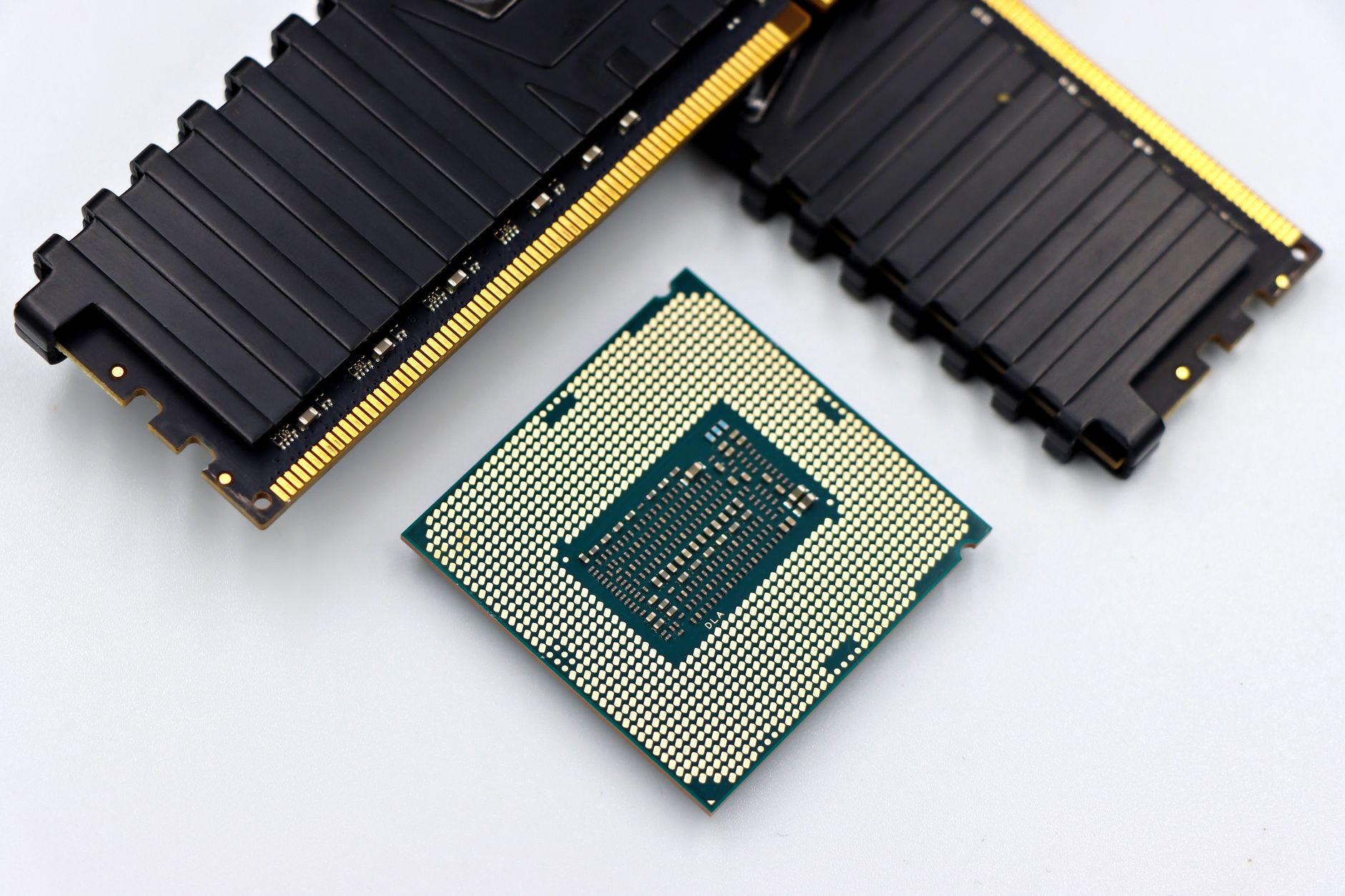
The Corsair Vengeance RGB DDR5-6000 ships with primary timings of CL30-36-36-76 at 1.35V. The Kingston Fury Beast DDR5-6000, depending on the specific SKU, typically ships at CL36-38-38-80 at 1.35V. That six-cycle difference in CAS latency – the time between when the memory controller requests data and when the first bit arrives – has a real-world impact that shows up consistently in latency-sensitive games and applications. Corsair is using tighter sub-timings across the board, which generally points to higher-binned DRAM chips underneath the heat spreader.
The Corsair kit uses Samsung B-die or similarly well-binned ICs depending on production batch, which is part of why the tighter timings are achievable at relatively modest voltage. Kingston’s Fury Beast at this speed tier has historically used Hynix M-die, which scales well in frequency but tends to require looser primaries to hit DDR5-6000 reliably. Neither die type is objectively better in all scenarios, but Samsung B-die’s latency characteristics give it a consistent edge in low-latency workloads.
Physically, the two kits diverge further. Corsair’s Vengeance RGB ships with addressable RGB lighting across a tall aluminum spreader – a selling point for windowed builds but a potential clearance issue with large air coolers. Kingston’s Fury Beast comes in both standard and RGB versions, with the non-RGB model sitting low enough to clear nearly any tower cooler on the market. If you’re running a Noctua NH-D15 or a BeQuiet Dark Rock Pro 4, the Kingston’s low-profile design matters.

Latency Testing: Real-World Gaming Performance
Synthetic benchmarks like AIDA64’s memory latency tool give a controlled starting point. Running both kits at their rated EXPO/XMP profiles on an AM5 platform (Ryzen 7 7700X), the Corsair Vengeance RGB DDR5-6000 CL30 consistently measures around 65-68 nanoseconds of memory access latency. The Kingston Fury Beast at CL36 lands closer to 72-75 nanoseconds under the same conditions. That roughly 7-nanosecond difference sounds minor written out, but in CPU-bound scenarios it accumulates across millions of memory accesses per second.
In gaming, the impact is most visible in open-world titles and CPU-bound competitive shooters. In a game like Cyberpunk 2077 running at 1080p to stress the CPU rather than the GPU, the CL30 Corsair kit produces frame pacing that is measurably smoother – 1% lows climb by 4-6 frames per second compared to the Kingston in back-to-back runs. In Counter-Strike 2, where frame rate consistency directly affects competitive play, the tighter kit maintains higher minimum frame rates when multiple AI agents and physics events stack simultaneously.
Workstation and content creation tasks show a similar pattern. In Blender rendering tests and Cinebench R23 multi-core runs, the performance difference between the two kits shrinks considerably because those workloads care more about bandwidth than access latency. The Corsair kit’s advantage is concentrated in scenarios where the CPU needs to fetch data quickly and repeatedly – exactly what happens in real-time game engines running physics, AI, and draw calls simultaneously.
Overclocking headroom differs between the two as well. The Corsair CL30 kit can often be tightened further to CL28 or CL28-34-34-72 with manual tuning and a modest voltage bump to 1.40V. Reaching those timings on the Kingston requires significantly more voltage and is less reliable across temperature ranges. Experienced builders who want to squeeze every nanosecond out of their system will find the Corsair kit more cooperative. For most users who load an EXPO profile and never return to BIOS, the difference is locked in at purchase.
Price separation between the two kits runs roughly 15-20 percent depending on retailer and kit capacity. A 32GB (2x16GB) Corsair Vengeance RGB DDR5-6000 CL30 kit generally retails above the equivalent Kingston Fury Beast DDR5-6000 CL36, putting the Corsair in a position where you’re paying a meaningful premium specifically for those tighter timings and the RGB aesthetic. If you’ve already specced out a Ryzen 9800X3D or Intel Core Ultra build where CPU-bound performance is the priority, that premium has a genuine justification.
Which Kit Belongs in Your Build
The Kingston Fury Beast DDR5-6000 is not a slow kit – at CL36, it’s still faster in absolute terms than anything DDR4 ever offered, and its low-profile design and price point make it an easy recommendation for builders who prioritize case compatibility and budget efficiency over squeezing the last few frames. In GPU-limited scenarios, which describes most gaming at 1440p and 4K, the latency difference between the two kits essentially disappears behind rendering bottlenecks.
The Corsair Vengeance RGB DDR5-6000 CL30 is the right call for competitive players locked into 1080p high-refresh-rate setups, content creators who hop between rendering and gaming, and builders running the most CPU-sensitive titles where 1% lows are the defining metric of a smooth experience. The RGB tax is real, and the clearance issue is real – but those CL30 timings are not something Kingston currently matches at this clock speed.