Two Premium Boards, One Decision
The Corsair K70 Max and the Razer BlackWidow V4 Pro both sit at the top of the mechanical keyboard market, priced to compete directly with each other and targeting the same audience: PC gamers who want premium build quality, advanced software, and switches that can handle years of abuse. After testing both boards extensively across gaming sessions, typing workloads, and daily desk use, the differences between them are sharper than the price tags suggest.
Build Quality and Physical Design
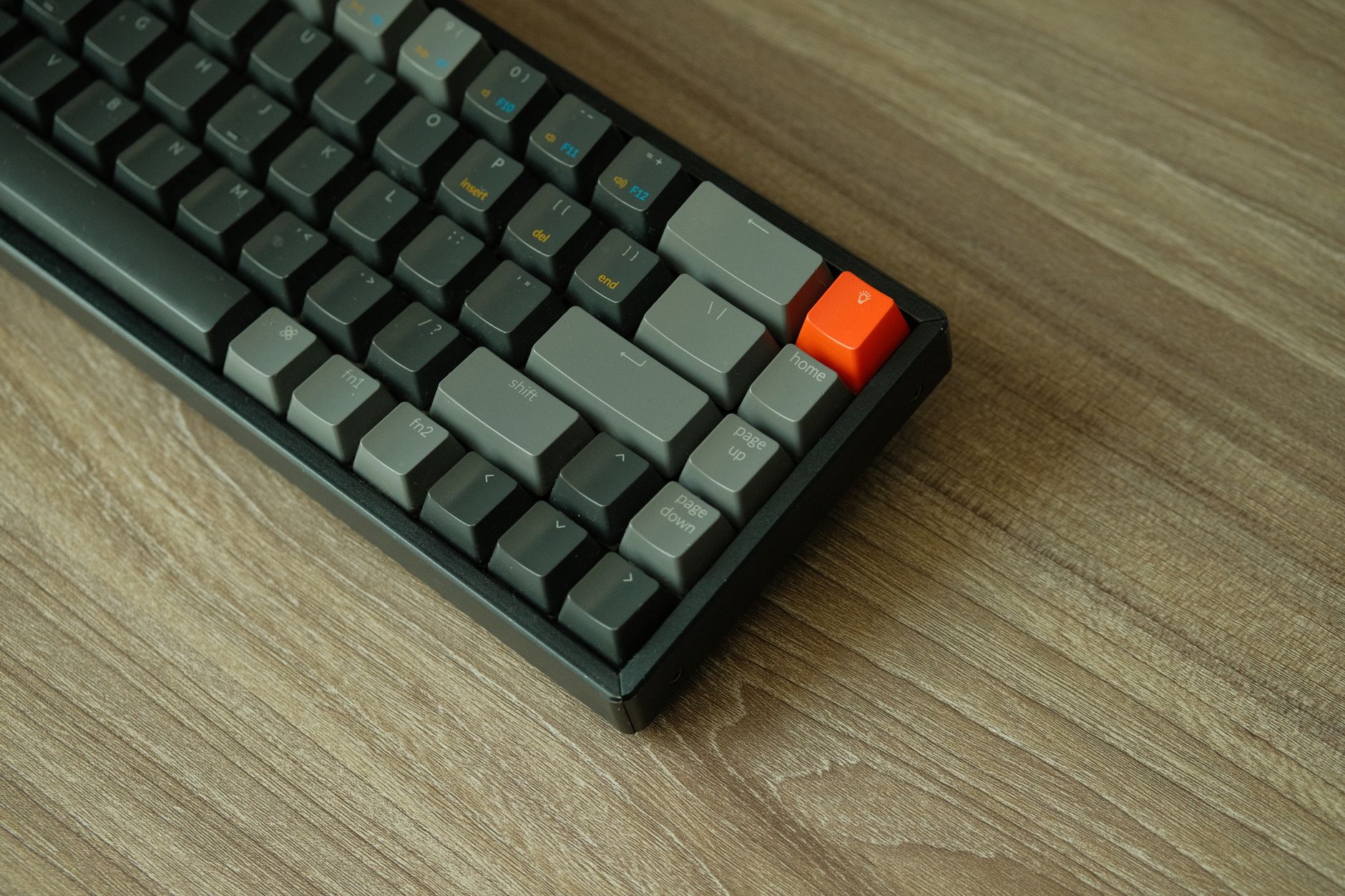
The Corsair K70 Max is built around a full aluminum top plate with a brushed finish that feels genuinely solid under the hands. It does not flex, it does not creak, and the keycap legends are laser-etched double-shot PBT, which means they will not fade. The board ships in a full-size layout with a dedicated volume roller, a media key row, and a USB passthrough port on the back. At around 1.2 kg, it sits heavy on the desk – the kind of heavy that communicates build confidence rather than waste.
The Razer BlackWidow V4 Pro takes a different approach to premium. The chassis is polycarbonate with a magnetic wrist rest included in the box, and the board has a slightly softer feel overall compared to the cold rigidity of the K70. That is not necessarily a criticism – plenty of gamers prefer the slight give under the wrists during long sessions. The V4 Pro also ships in a full-size layout, includes a media wheel, and adds a dedicated command dial that can be mapped to volume, scene switching in Razer Synapse, or custom macros. That dial is the most interesting hardware differentiator on the board.
Both keyboards use north-facing RGB LEDs under the keycaps, but Corsair’s implementation produces slightly more uniform illumination across the keycap surface. Razer’s RGB is brighter at the edges and dims toward the center on some keycap legends, which becomes noticeable when running white or pastel lighting effects. Neither board has any light bleed at normal desk brightness levels. The K70 Max also ships with double-shot PBT keycaps stock, whereas the V4 Pro uses ABS legends on its standard version – a real difference if longevity matters to you.
Corsair includes a magnetic detachable USB-C cable with the K70 Max. The V4 Pro uses a braided USB-A cable that is fixed and routes out the back. For cable management or portable setups, the K70 has a clear structural advantage here. The V4 Pro compensates with Bluetooth 5.0 and 2.4 GHz wireless connectivity, which the wired-only K70 Max simply does not offer. If you want to use a keyboard across multiple devices or go wireless for a cleaner desk, the V4 Pro is the only option between the two.

Switch Feel and Typing Performance
The Corsair K70 Max ships exclusively with MGX magnetic switches, which use hall effect technology instead of traditional mechanical contacts. Hall effect switches register keystrokes through magnetic field changes, which means there is no physical contact between components during actuation – no wear on switch contacts, no debounce degradation over time. The MGX switches support rapid trigger, allowing the actuation point to reset the moment the key starts moving upward rather than waiting for a fixed reset point. This matters in competitive gaming, particularly in games like Counter-Strike 2 or Valorant where micro-movements between A and D keys affect player movement speed.
The BlackWidow V4 Pro uses Razer’s Yellow optical switches in its standard configuration, with Green and Orange clicky variants available depending on region. The Yellow switches are linear, pre-lubed from the factory, and rated for 70 million keystrokes. They feel quick and light with a 1.2mm actuation point and 45g actuation force. There is no rapid trigger on the V4 Pro, which puts it at a mechanical disadvantage for the specific subset of competitive players who have built their playstyle around that feature.
For typing, the V4 Pro’s Yellow switches feel softer and quieter than the MGX, with less post-travel resistance. The K70 Max’s MGX switches have a noticeable firmness at the bottom of each keystroke that some typists find satisfying and others find fatiguing over long writing sessions. Neither board uses a foam dampening layer in the stock configuration, and both produce a hollow resonance on fast typing runs that could be addressed by removing the board back plate and adding sound dampening material – a common modification for enthusiasts who want a thicker, quieter sound profile.
Razer’s Synapse 4 software allows per-key actuation adjustment on supported switches, though that feature applies to Razer’s analog optical switches rather than the Yellow linear variant tested here. Corsair’s iCUE handles the rapid trigger configuration for the MGX, and the implementation is clean – sliders control the sensitivity threshold, and the effect is immediate and perceptible in-game. The iCUE software is generally heavier on system resources than Synapse, a complaint that has followed Corsair’s software for years, though the company has made meaningful progress in reducing startup times and background CPU usage in recent updates.
One area where the V4 Pro pulls ahead is macro flexibility. The five dedicated macro keys on the left side of the board can be layered using Synapse’s profile system, and the command dial adds a sixth assignable input without cluttering the layout. For MMO players, content creators who record frequently, or anyone who lives in hotkey-heavy software, that extra real estate is practical rather than decorative. Corsair’s macro system through iCUE is equally capable in terms of software functionality, but the K70 Max does not have dedicated macro keys in its standard layout.
Polling Rate and Competitive Performance
The K70 Max supports an 8000 Hz polling rate, reporting its position to the PC eight thousand times per second. Whether that number produces a tangible advantage over the standard 1000 Hz of the V4 Pro in actual gameplay is a legitimate debate – the performance gap between 1000 Hz and 8000 Hz on a keyboard is far less clear than it is on mice, where tracking fidelity benefits more directly from higher report rates. What is not debatable is that the rapid trigger implementation on the MGX switches provides a real, measurable advantage in games that reward precise lateral movement control. That feature alone makes the K70 Max the more direct choice for competitive FPS players.

The V4 Pro, with its wireless connectivity and longer feature list, is a stronger all-rounder – the better keyboard for someone who uses the same board for work, casual gaming, and media consumption. But competitive players who do not need wireless and want every potential edge in input timing will find the K70 Max’s hardware architecture more purpose-built. Both boards retail in the $200 range, which means the decision comes down to what you actually do at your desk. The K70 Max answers one question very well. The V4 Pro tries to answer several at once, and mostly succeeds.