The Laptop GPU That Wants a Desktop Seat at the Table
Nvidia’s RTX 5080 Laptop GPU arrived with an unusually aggressive pitch: not just a portable alternative to desktop power, but something close to a genuine competitor. That claim is always made, and it almost never holds up under real benchmark conditions. The RTX 5080 Laptop GPU, built on the Blackwell architecture and paired with 16GB of GDDR7 memory, is now getting its first serious round of independent testing – and the results are more complicated than a simple win or loss.
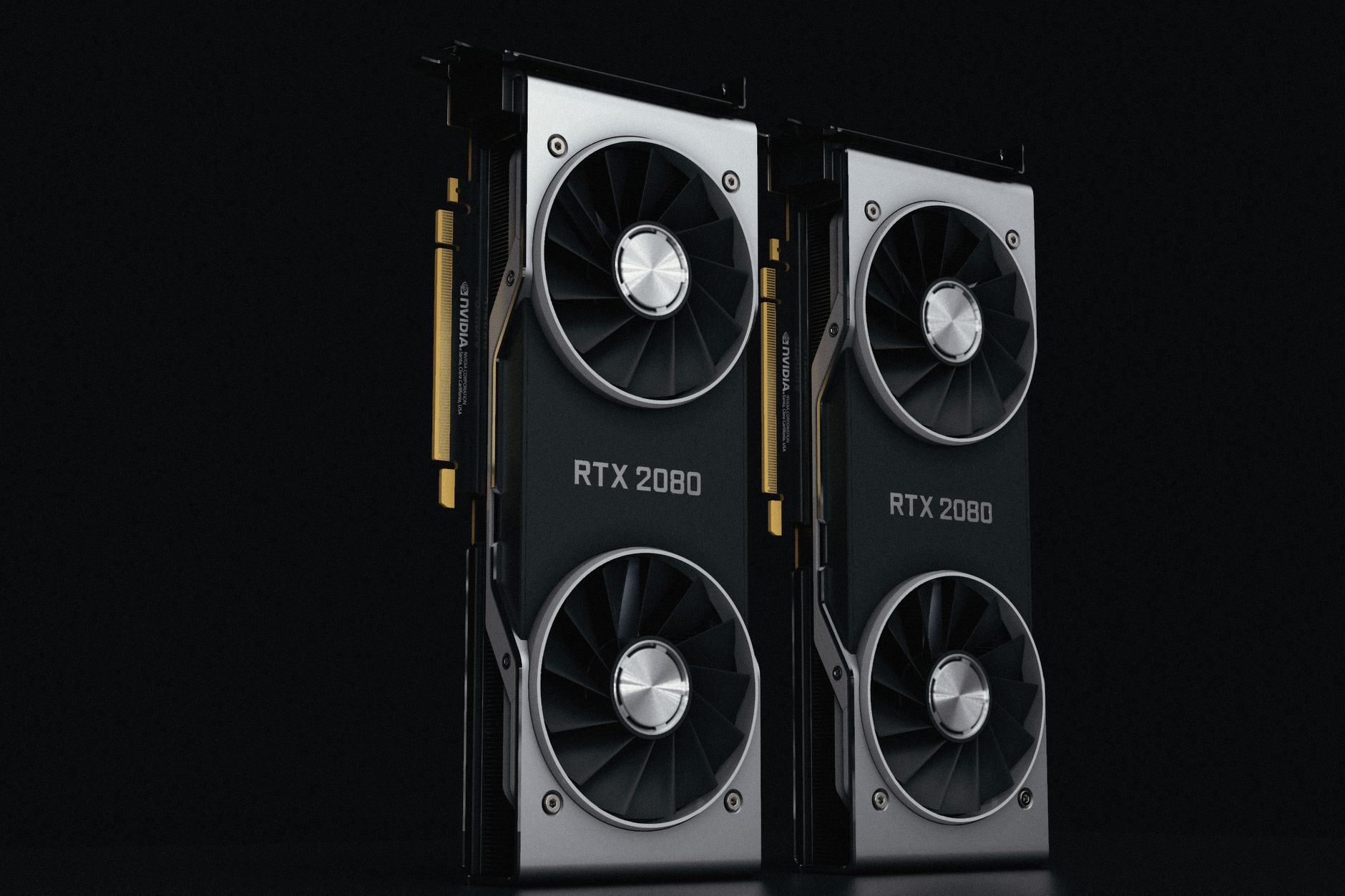
The laptop variant runs at a base TGP (Total Graphics Power) of 150W, with some manufacturers pushing it to 175W with Dynamic Boost enabled. Compare that to the desktop RTX 5080, which draws up to 360W, and you immediately understand the ceiling. Power limits are physics, not marketing. The architecture is the same, the memory type is the same, but the clock speeds and shader counts are trimmed to fit inside a chassis that needs to survive on battery and thermal paste rather than a 360mm radiator.
Still, Blackwell closes the gap faster than Ada Lovelace did.

Rasterization Performance: Where the Numbers Land
In rasterization workloads – the bread and butter of most gaming scenarios – the RTX 5080 Laptop GPU lands in a range that sits noticeably above the desktop RTX 4080 Super in most tested titles. Running Cyberpunk 2077 at 4K with Ultra settings and no upscaling, the laptop card posts frame rates that would have been considered strong desktop performance just 18 months ago. At 1440p, which is the resolution most high-end gaming laptops actually target, the gap between the mobile and desktop RTX 5080 narrows to roughly 15 to 20 percent depending on the workload.
That 15 to 20 percent deficit sounds like a lot until you consider what you’re comparing. The desktop RTX 5080 in a full tower system, with a quality CPU, 32GB of DDR5 RAM, and a 360W power allocation, is a purpose-built performance machine. The laptop RTX 5080 is doing that work inside a 2.4kg chassis with a shared thermal solution and a processor that also needs power budget. In titles like Alan Wake 2, Black Myth: Wukong, and Baldur’s Gate 3, the laptop card performs within a range that most players would consider indistinguishable without a side-by-side frame counter.
The more telling comparison is against the desktop RTX 4080 Super. Across multiple benchmarks, the RTX 5080 Laptop GPU either matches it or edges past it in CPU-bound scenarios, which is a real architectural win. Blackwell’s improved shader efficiency and the GDDR7 bandwidth advantage show up clearly in memory-heavy workloads – texture streaming, large open worlds, and high-resolution shadow rendering all benefit. This is not a rounding error; it is a genuine generational step in mobile GPU design.
Ray Tracing, DLSS 4, and the Realistic Gaming Case
Ray tracing performance is where mobile GPUs have traditionally fallen off hardest, and the RTX 5080 Laptop GPU does not fully escape that pattern. Against the desktop RTX 5080 in full path tracing scenarios – Cyberpunk’s Overdrive mode being the most punishing real-world test – the laptop card falls further behind, sitting closer to a 25 to 30 percent gap. This is expected given the power constraints, but it is worth stating plainly because ray tracing is increasingly the feature that separates high-end cards from mid-range ones in 2025 titles.
Where the mobile card recovers its credibility entirely is with DLSS 4 and Multi Frame Generation enabled. Nvidia’s fourth-generation upscaling with MFG is not a compromise anymore – at Quality or Balanced modes on a 1440p or 4K display, the image quality is genuinely strong, and the generated frames add responsiveness that pure rasterization numbers don’t capture. When you benchmark the RTX 5080 Laptop GPU in Cyberpunk Overdrive with DLSS 4 Quality and MFG active, it produces frame rates that are competitive with the desktop RTX 5080 running native rendering at equivalent quality settings. That is not a trick; that is the practical reality of how people actually play these games.
Gaming laptops running the RTX 5080 are also pairing it with Nvidia’s MFAA and Reflex 2 technology, which tightens input latency even with frame generation active. For competitive titles – Valorant, Counter-Strike 2, Apex Legends – the laptop card running at 1080p or 1440p with high refresh rate panels simply doesn’t have a bottleneck to worry about. The ceiling for esports performance on this hardware is far beyond what any competitive player needs.
The Thermal Question Nobody Wants to Answer
Every laptop GPU benchmark needs a thermal asterisk. The RTX 5080 Laptop GPU performs at its rated speeds when the chassis is cold, the ambient temperature is reasonable, and the system is on AC power with performance mode enabled. Under sustained workloads – extended gaming sessions, back-to-back benchmark loops, hot room conditions – thermal throttling is a real variable that differs between manufacturers. Asus, Razer, MSI, and Lenovo are all shipping laptops with this chip, and their thermal solutions are not equal. A Razer Blade 18 with a thinner chassis will behave differently from an Asus ROG Strix G18, even with identical GPU specs on paper. Anyone buying a laptop on the strength of these benchmarks should be looking at sustained load numbers specifically, not just the peak scores that dominate review headlines.

Worth It Against a Desktop Build?
The honest answer is that the RTX 5080 Laptop GPU does not beat the desktop RTX 5080 in raw performance – and nobody serious expected it to. What it does is close the gap tighter than the previous generation managed, perform above the desktop RTX 4080 Super in a meaningful number of real-world scenarios, and do all of this while fitting inside a portable system that can run on battery. If you already have a desktop setup or are building one now, the performance-per-dollar math still favors a tower. But for someone who needs one machine that travels, presents at work, and runs Black Myth: Wukong at high settings on a hotel TV at night, the RTX 5080 Laptop GPU is the first mobile option that doesn’t feel like a serious compromise. The pricing on laptops carrying this chip – typically starting above $2,500 and running past $4,000 for flagship builds – is where the real argument starts, and that conversation has nothing to do with frame rates.
Frequently Asked Questions
How does the RTX 5080 Laptop GPU compare to the desktop RTX 5080?
The laptop variant runs roughly 15 to 30 percent slower depending on the workload, due to a significantly lower power limit of 150 to 175W versus the desktop’s 360W.
Can the RTX 5080 Laptop GPU beat the desktop RTX 4080 Super?
In several tested scenarios, particularly memory-heavy and CPU-bound workloads, the RTX 5080 Laptop GPU matches or edges past the desktop RTX 4080 Super thanks to GDDR7 bandwidth and Blackwell architecture improvements.