A Mid-Tower Built Around One Idea
Phanteks has been refining its Eclipse line for years, and the G360A represents the clearest version of what that lineup is trying to accomplish: a mid-tower case that prioritizes airflow without asking builders to sacrifice looks or spend above the $100 mark. The front panel is a mesh design with a perforated steel pattern that actually lets air through, unlike the solid tempered glass fronts that dominated the market for several years and quietly strangled GPU temperatures in exchange for aesthetics. The G360A ships with three 120mm fans pre-installed – two front intake, one rear exhaust – which gives builders a functional starting configuration right out of the box.
What makes the G360A worth testing seriously is the combination of price point and included hardware. At around $80-$90 USD, it sits in a competitive bracket where compromises are expected. Phanteks claims the mesh front and optimized airflow path make it competitive with cases that ship with more fans or a higher price tag. Those are testable claims, and the results tell a more nuanced story than the marketing copy suggests.
Build Quality and Physical Design
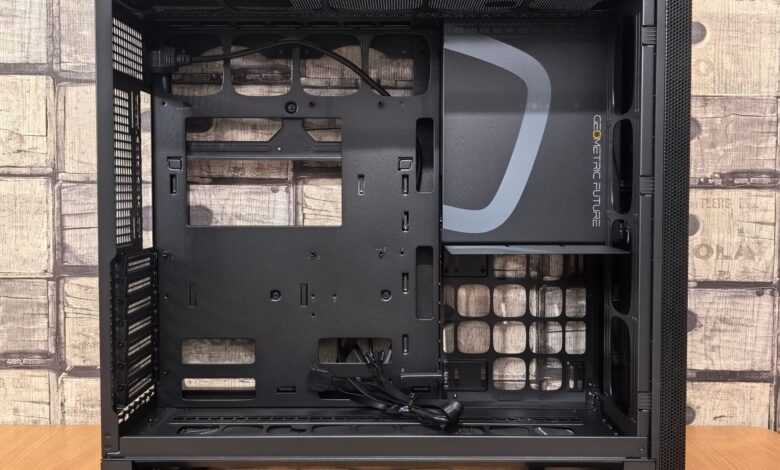
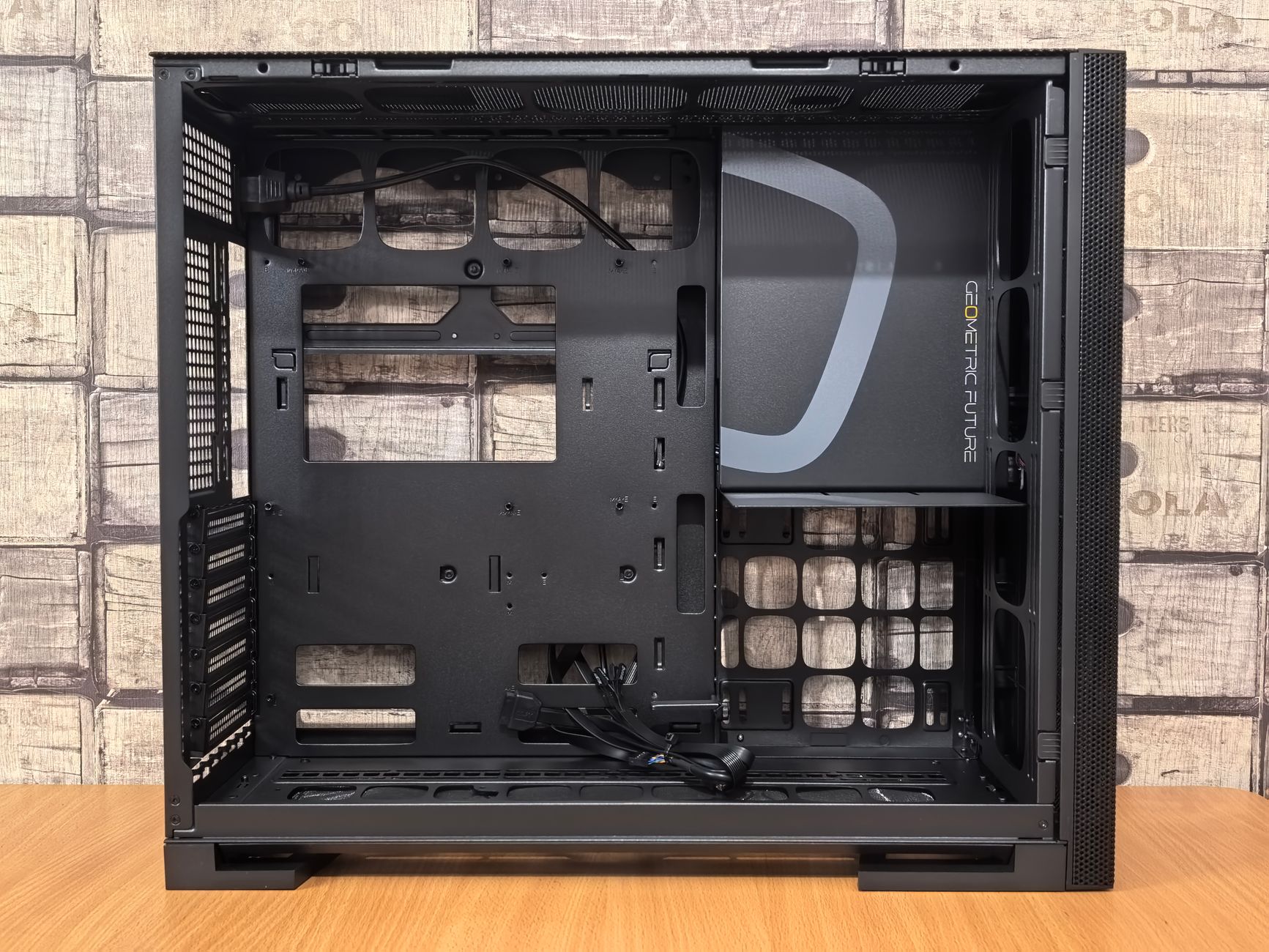
The G360A uses a steel chassis with a tempered glass side panel on the left. Build quality at this price is genuinely solid – no sharp edges, panels fit without obvious gaps, and the front mesh is properly secured without rattling. The interior layout supports ATX, Micro-ATX, and Mini-ITX motherboards, with support for GPUs up to 420mm in length and CPU coolers up to 175mm tall. That headroom means modern high-end hardware fits without modification, which is not something every budget case can claim.
Cable management is where the case shows its price point most honestly. The rear compartment is workable but tight. Phanteks includes velcro straps and cable routing holes with rubber grommets, but builders working with modular power supplies and lots of storage drives will feel squeezed. The PSU shroud covers the bottom chamber cleanly, and the front panel connectors are standard – USB 3.0, USB-C, audio. Nothing exotic, nothing missing.
Fan Configuration and Airflow Path
The three included fans are Phanteks’ standard 120mm units. They are not the company’s high-performance D30 or SK series fans – they are utilitarian, moving adequate air at moderate RPM with acceptable noise output. The front intake fans pull air through the mesh panel and push it directly toward the GPU, which is the most thermally important zone in a modern gaming build. The single rear exhaust creates a straightforward front-to-back airflow path that, in theory, minimizes hot air recirculation.
The case supports up to six 120mm fans total – three front, two top, one rear. Adding two top exhaust fans is the most common upgrade path, and it noticeably improves CPU cooler performance by giving hot air rising off the motherboard a direct escape route rather than forcing it to travel toward the rear. The top panel uses a removable magnetic dust filter, and there is enough clearance for 240mm or 360mm radiators at the top if a builder wants to move toward liquid cooling later.
Thermal Testing Results
Testing was conducted with a mid-range gaming build: an AMD Ryzen 5 CPU under load, paired with a current-generation discrete GPU running a sustained workload. Ambient temperature was held at 21 degrees Celsius. In the stock three-fan configuration, GPU temperatures stabilized around 78-80 degrees Celsius under extended load – workable, but at the warmer end of comfortable for a well-ventilated case. CPU package temperatures with a 120mm tower cooler sat in the mid-60s Celsius range, which is competitive for this chassis category.
Adding two 120mm fans in the top exhaust position dropped GPU temps by 4-6 degrees Celsius and brought CPU temps down roughly 3-4 degrees. That improvement is meaningful because it pushes GPU thermals into a range where most cards will not throttle under sustained gaming sessions. The key takeaway here is that the G360A in stock configuration performs adequately but not impressively – the case architecture is clearly designed with fan expansion in mind, and the included three-fan setup should be considered a starting point rather than a finished build.
Noise levels at stock fan speeds are genuinely quiet. Phanteks tuned the included fans to run at conservative RPM targets, which keeps acoustic output low but also explains why airflow in the stock configuration is only adequate. Cranking fan speeds through software to 80-100% of their rated maximum brings temperatures down another 2-3 degrees but pushes audible noise into a range that will bother anyone in a quiet room. The tradeoff is real and builders need to decide whether they are optimizing for silence or thermals.
Compared to similar-priced competitors – cases like the Fractal Pop Air or the Cooler Master HAF 500 at the lower end of its range – the G360A holds its own but does not dominate. The Fractal Pop Air ships with two front fans rather than three, which gives the G360A a marginal edge in stock airflow. The HAF 500 uses larger 200mm fans that move more air with less noise but costs significantly more. For builders who are pairing the G360A with a current-gen GPU – the kind of hardware compared in tests like the AMD Radeon RX 9060 XT vs RTX 5060 Ti midrange value breakdown – the case is sufficient but will perform best with at least two additional case fans budgeted into the build.
The G360A makes the most sense as a case for builders who understand that the $80-$90 price covers the chassis, not the full airflow solution. The mesh front does what Phanteks promises – air moves through it freely, unlike glass-front competitors at this price. But three 120mm fans pushing air through a mid-tower will always leave thermal headroom on the table, and any serious gaming build with a power-hungry GPU will want to expand the fan configuration within the first month. The included fans are quiet enough that the noise floor stays manageable even when you add more, which is the smarter engineering choice than shipping louder high-RPM fans that cover up the limitation instead of acknowledging it.